






Best Solutions ITW Alternatives for Thrift Stores (2026)
Keeping up with thrift store inventory requires a system designed for secondhand retail — one that tracks donations, pricing, and inventory changes in real time. However, many point of sale (POS) systems are designed for traditional retailers, where products arrive with barcodes and set prices, making them a poor fit for secondhand operations.
The right solution reduces time-consuming manual work and keeps operations running smoothly. To avoid challenges, look for thrift store inventory software with features built for secondhand retail. This guide helps you do this by covering FAQs, features, and top providers of thrift store inventory software.

Thrift Store Inventory Software FAQs
What is thrift store inventory software?
Thrift store inventory software is a specialized POS and management platform designed for the unique needs of thrift stores and the lifecycle of donated goods. Unlike standard retail systems, which operate on SKUs for large quantities of identical items, thrift software tracks each item from the moment it’s dropped off until the moment it’s purchased. These solutions help thrift stores keep track of what’s in stock and make running a thrift store much easier.
How does thrift store inventory software handle items without traditional SKUs?
Thrift store inventory software handles unique items through category pricing or matrix tagging. Instead of logging each individual item, which is tedious and time-consuming, items are sorted and priced by category. For example, if tagging a woman’s dress, your staff might sort it under Apparel > Women’s > Dress > Standard Price.
Once your team categorizes the item, the thrift store inventory system automatically generates a unique, internal barcode and prints a custom tag. When the cashier scans that tag at checkout, the system reads the data and provides the correct price, all without ever needing a traditional retail SKU.
Why should you choose thrift store-specific inventory software?
Ultimately, thrift stores and traditional retail stores have different needs and workflows, so it’s better to use inventory software specifically built for thrift stores.
For example, traditional retail software is built for large quantities of identical items. You order 50 identical blue shirts, scan one manufacturer barcode, and the system counts down as they sell. If you try to force a thrift store into that model, your staff will spend hours manually typing descriptions and creating "dummy" SKUs for every single donated item.
Thrift-specific software is built for unique items and speed. It includes features for the realities of secondhand retail, so choosing it means you aren't constantly fighting your software to do your job.
The Most Important Thrift Store Inventory Software Features
When looking into thrift store inventory software for your secondhand store, make sure that the solution you choose has the following features.
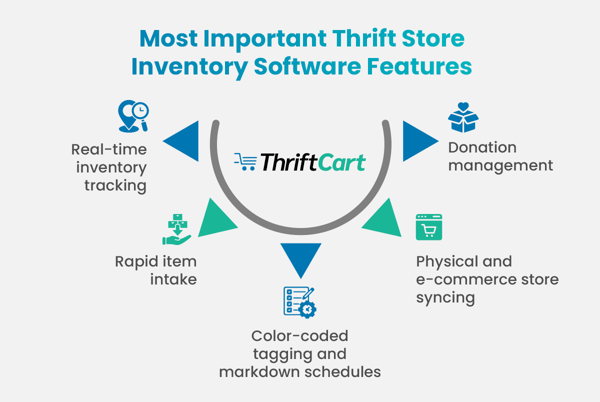
Real-Time Inventory Tracking
Real-time inventory tracking is the backbone of any healthy retail operation, but in a thrift store, it’s essential for managing constant, unpredictable turnover. When you tag an item in the backroom, your system's total inventory count should reflect it immediately. Likewise, the moment a cashier scans that item at the register, it should be instantly deducted.
Rapid Item Intake
Thrift stores process hundreds, if not thousands, of unique items every single day. If your software requires staff to manually type descriptions and generate complex SKUs for every item, your operations will slowly grind to a halt.
Rapid item intake solves this bottleneck by using the category pricing and matrix tagging features we mentioned above. This allows your team to process large volumes of one-of-a-kind donations quickly, keeping the sales floor freshly stocked without tedious manual data entry.
Color-Coded Tagging and Markdown Schedules
The longer an item sits on the shelf, the more it costs you in overhead. To combat this, most stores use a color-coded tag system where a specific color represents a specific week, allowing managers to easily spot and discount stale items.
Thrift-specific inventory software automates this entire lifecycle. The system automatically embeds the item’s “birthday” on its tag — when it’s scanned at the register, the software can instantly apply the correct markdown. This eliminates the need for cashiers to memorize rotation schedules or manually calculate discounts, dramatically speeding up checkout lines and reducing human error.
Physical and E-Commerce Store Syncing
Thrift stores aren’t limited to selling in person at brick-and-mortar shopfronts. Many now use online platforms to reach more shoppers and bring in more donations. Inventory systems should sync easily between physical and online stores to keep everything organized.
Connecting both sales channels helps prevent overselling, maintains consistent pricing, and provides an accurate view of your inventory. To avoid customer confusion, when an item sells online, your system should automatically remove it from in-store stock.
Donation Management
It’s important not to forget that your thrift store runs on community donations. A robust donation management feature bridges the gap between your generous community and your backroom, streamlining product acquisition.
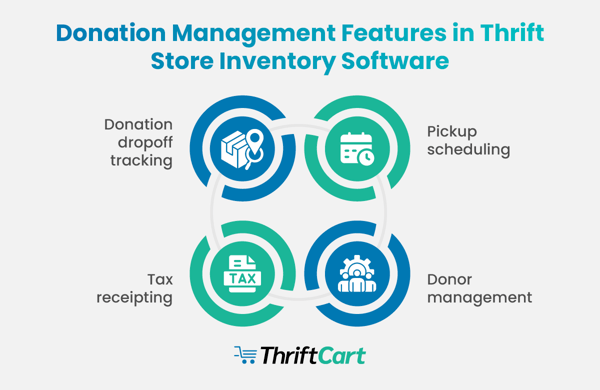
To effectively manage your unique supply chain, your software should include these core capabilities:
-
Donation dropoff tracking: Quickly log incoming donations by category, weight, or volume as they arrive, giving you a clear idea of your processing backlog.
-
Pickup scheduling: Allow donors to request and schedule furniture or bulk pickups — this allows you to create optimized routes for your truck drivers. Plus, keeping a clear record of past and upcoming pickups reduces administrative work and helps prevent missed donations.
-
Donor management: Build a comprehensive database of your donors, tracking their giving history, contact information, and frequency to help you nurture relationships with your most valuable supporters.
-
Tax receipting: Automatically generate and email or print IRS-compliant tax receipts for donors the moment your team logs their items. This saves your administrative team hours of manual paperwork.
By treating your donors with the same level of service and organization as your retail customers, you build trust and loyalty within your community. Look for software that handles the heavy lifting of scheduling, tracking, and receipting, so your team can focus on other high-value tasks.
The Leading Providers of Thrift Store Inventory Software
Choosing the right software provider makes a noticeable difference in how efficiently your store operates and its impact on your community. Here are the top providers that make it easier to manage your thrift shop’s inventory.
ThriftCart
ThriftCart is an all-in-one inventory software solution. Here’s what’s included:
- Key features: The system offers AI-powered pricing, dropoff tracking, automated pickup scheduling, customer relationship management (CRM) for donors, and real-time color-tag discounting.
- Pros: ThriftCart is deeply specialized for nonprofits, is extremely volunteer-friendly, and provides cloud-based access from any device.
- Cons: It has a few navigation quirks that can only be learned by using it, but are easy to overcome.

NCR Voyix Counterpoint
NCR Voyix Counterpoint is an enterprise-level solution chosen by many large organizations. Here’s what’s included:
- Key features: The platform provides robust sales reporting, integrates with Thrift Production Manager (TPM), and offers multilocation inventory management.
- Pros: It’s highly customizable and scalable for large thrift chains.
- Cons: It can be complex to set up and has a higher learning curve for nontechnical volunteers.
AccuPOS
AccuPOS is a general retail POS that integrates with QuickBooks and Sage. Here’s what’s included:
- Key features: AccuPOS features rapid AccuCOUNT scanning, basic donation logging, and accounting software integration.
- Pros: It offers fast checkout speeds for high-traffic stores and a simple interface.
- Cons: It lacks advanced logistics features, like pickup scheduling, found in specialized thrift tools.
S-Tags is built for thrift stores, but focuses on operational features. Here’s what’s included:
- Key features: The system is a production-first POS designed specifically for high-volume tagging, focusing on the speed of printing color-coded price tags.
- Pros: It’s efficient for stores that process a large amount of inventory daily and need proprietary hardware designed for durability.
- Cons: It requires the use of proprietary hardware, which means there’s no flexibility to use existing tablets or computers.
Thrift Works
Thrift Works is a proprietary software and hardware solution made for resale. Here’s what’s included:
- Key features: The system is a specialized nonprofit resale POS that offers native tools for volunteer management and color-rotation markdown cycles.
- Pros: It’s purpose-built for the thrift industry with a focus on ease of use for rotating staff and volunteers.
- Cons: Like S-Tags, it’s locked into proprietary hardware, which can increase the initial startup costs compared to cloud-based, hardware-agnostic systems.
ThriftTrac
ThriftTrac is streamlined to skip traditional inventory management in favor of speed. Here’s what’s included:
- Key features: ThriftTrac is a metrics-first platform that prioritizes KPI dashboards, donor tracking, and impact reporting over traditional retail functions.
- Pros: It works well for organizations that need deep data insights into their mission’s impact and donor behavior.
- Cons: The platform doesn’t include inventory management by design. It’s intended to be a modular tool rather than an all-in-one POS solution. Explore alternatives to ThriftTrac here.
Solutions ITW
Solutions ITW is a collection of systems built for the secondhand industry. Here’s what’s included:
- Key features: The software offers a bundled suite consisting of three products — Solutions DGR 5.0, Upright Labs, and pearldive AI — to handle retail, e-commerce, and AI pricing.
- Pros: It offers a robust, high-tech ecosystem for larger thrift operations looking to expand heavily into online sales.
- Cons: Because it’s a bundle of different products, the interface and workflow can feel less cohesive than a single system built from the ground up.
Square
Square is an all-purpose POS system chosen by many retailers. Here’s what’s included:
- Key features: The platform is a general retail POS with a popular free entry-level plan, sleek hardware, and a large app integration marketplace.
- Pros: It offers a very low barrier to entry for brand-new shops and some of the most user-friendly hardware on the market.
- Cons: It’s not built for thrift workflows. Square lacks native features like donor tax receipts, pickup scheduling, and automated color-tag markdowns, requiring many manual workarounds.
Related Read: Thrift Store Sales Reporting: 5 Must-Track KPIs
How To Evaluate an Inventory Software Provider for Your Thrift Store
Choosing a system doesn’t have to be difficult. As you evaluate your options, look for providers that demonstrate deep thrift industry knowledge — they should understand why a tax receipt is different from a sales receipt.
It’s important to prioritize ease of use for your volunteers and quality customer support. Schedule a live demo so you can see the interface in action and ask specific questions about your store’s unique workflow.
A good provider will want to give you a system that’s a perfect fit for your mission before you ever sign a contract.
Additional Resources
Managing a nonprofit thrift store means handling constant donations, shifting inventory, and community-driven sales — which means your thrift store inventory software should do more than simply log your items. Look for a robust solution that tracks stock, manages donations, and syncs with online sales, all while keeping operations simple.
For more resources on running a thrift store, check out the following articles:
- Thrift Store Inventory Management: 7 Tips and Tricks + FAQs. There are ways to simplify inventory management outside of purchasing a dedicated solution. Discover tips and tricks you can implement.
- Where Do Thrift Stores Get Their Inventory? Guide + FAQs. Struggling to fill your store with inventory? This guide gives you ideas to try at your thrift store.
- What’s the Best POS System for Thrift Stores? 13 Top Picks. Good thrift store POS systems have built-in inventory management features. Explore the top POS solutions for your store.

With three years in the thrift industry during a pivotal shift to omnichannel selling, Kyle Payton helps stores better manage inventory and forecast product needs. As General Manager at ThriftCart, he focuses on equipping nonprofit thrift operations with point of sale technology that makes their day-to-day operations easier.
Kyle's passion lies in helping thrift store managers embrace digital solutions that support their unique mission and maximize their impact in the community.
"Supporting nonprofits is incredibly rewarding. I’m here to provide thrift store managers with the tools they need to thrive, so they can continue making a positive difference in their communities."