



![Top Nonprofit Thrift Store POS Systems [Providers + Must-Have Features]](https://thriftcart.com/hubfs/_Blog/Blog%20Featured%20Images/ThriftCart/4%202%20Best%20POS%20for%20Nonprofits%20%5BBLOG%5D.webp)


Best Solutions ITW Alternatives for Thrift Stores (2026)
Nonprofit thrift stores face inventory challenges traditional retailers don’t. On the sales floor, the model looks the same, with customers shopping for items and paying at checkout. Any point of sale (POS) system can manage a simple sale. For nonprofit retailers, though, the work that gets those items onto the floor is anything but standard.
Donations arrive as storefront dropoffs or scheduled pickups, and some organizations operate separate donation centers altogether. A small staff and volunteer team handles quality control, inventory processing, stocking, and checkout. Someone has to inspect every item and decide if it’s sellable before pricing and tagging it. Then it heads to the right store or department.
That’s why the right POS needs to work like your most reliable volunteer — supporting how you receive inventory, manage checkout, and give shoppers a few extra reasons to buy.
In this blog, we’ll compare seven nonprofit thrift store POS systems and cover the features to look for before you choose one.
The Best Nonprofit Thrift Store POS Systems at a Glance
These systems were picked for how well they handle donated inventory, where nonprofit thrift stores feel the most strain. Six of them come with tools built for thrift operations. Square is included because it’s the POS most small shops hear about first. It’s a useful baseline for seeing what thrift-specific tools add.

Our Top Nonprofit Thrift Store POS Pick: ThriftCart
ThriftCart is a nonprofit thrift store POS designed for donated inventory. Donors can request pickups online, and ThriftCart groups those addresses into driver routes. At a dropoff, a self-service kiosk records the donor and emails the tax receipt on the spot. The three features below stand out for the stores using it.
Incentivize Impulse Shoppers With SMS Marketing
SMS marketing is ThriftCart’s newest standout feature, and it’s included in the Startup plan. You can announce a color-tag sale or donation drive straight from the POS. There’s no separate texting platform to manage. Youth Homes Thrift Shop uses it to promote sales and sees more foot traffic on texting days. A single text can bring in shoppers who had no plans to visit that day.
“I can’t tell you how many customers have walked through our door and said, ‘I received your text. I’m here.’”
— Kaitlyn Sandel, Manager, Youth Homes Thrift Shop
Use Batch Tagging To Speed Up Donation Processing
Getting donations onto the floor is where most thrift labor goes. At some thrift shops, 30–40% of donated clothing never reaches the sales floor because of stains or damage. Clear donation standards can cut that number down. Even so, every piece that passes inspection needs to move fast. ThriftCart handles that next step. Volunteers print barcode tags in batches, and color-tag rotation updates on its own schedule.
Youth Homes relies on about 60 volunteers and used to write every tag by hand. After switching, a small group of volunteers tagged about 1,000 items during one two-hour session.
Fund Your Mission With Roundup Donations
St. Vincent de Paul in Redmond, Oregon, has collected 5,200 roundup donations at checkout, worth $4,000 for its mission. ThriftCart records roundups separately from merchandise sales, giving the store a clearer record of its donation income.
Integrated payments accept cards and contactless apps like Apple Pay. ThriftCart can also match or beat your current processing rate.
Related Read: Thrift Store Donation Scheduling: A Deep Dive Into ThriftCart’s Tools
Must-Have Features in a Nonprofit Thrift Store POS
Traditional clothing retailers receive standardized inventory from manufacturers and distributors. Products arrive packed by style and size, with SKUs and barcodes already assigned. Quality control usually happens before shipment, so store employees can verify the delivery and scan the products into inventory.
General POS systems like Square are built for that model. They handle checkout well, but they have no native tools to log a donation or rotate color tags. Thrift stores using one often end up tracking donors in spreadsheets and changing tag discounts by hand.
The right nonprofit thrift store POS takes on the work that happens long before a shopper reaches the register. Here’s what to look for as you compare your options.
1. Donation Intake and Pickup Scheduling
Donation intake starts before an item reaches your building. Some donors schedule a pickup, while others check in at a staffed dropoff or self-service kiosk. Your POS should keep all of those records in one place.
Check what happens at each point:
- Let donors request pickups online.
- Group pickup addresses into driver routes.
- Record donor information at dropoff.
- Email tax receipts without reentering the same information.
Follow-up keeps donors coming back. A thank-you message a day or two after a dropoff should go out automatically. Staff shouldn’t have to track dates by hand.
Related Read: How To Manage Donations for Thrift Shops
.webp?width=399&height=277&name=colored%20tags%20(1).webp) 2. Color-Tag Pricing and Automatic Markdowns
2. Color-Tag Pricing and Automatic Markdowns
Most thrift stores already know how color tags work, so focus on how the POS handles the rotation. You should be able to choose the discount for each color and set its start and end dates. Red tags might be 50% off this week, while blue tags are 20% off. When a cashier scans an item, the right price should appear without anyone checking the sale chart. In ThriftCart, you can set color-based discounts on your own schedule.
3. Donation Management for One-of-a-Kind Items
Since most donations are one of a kind, look for category and condition fields plus barcode printing at intake. Counts should separate the floor from the backroom. Aging reports show how long each item has sat in stock. Staff can use them to decide what to mark down or transfer.
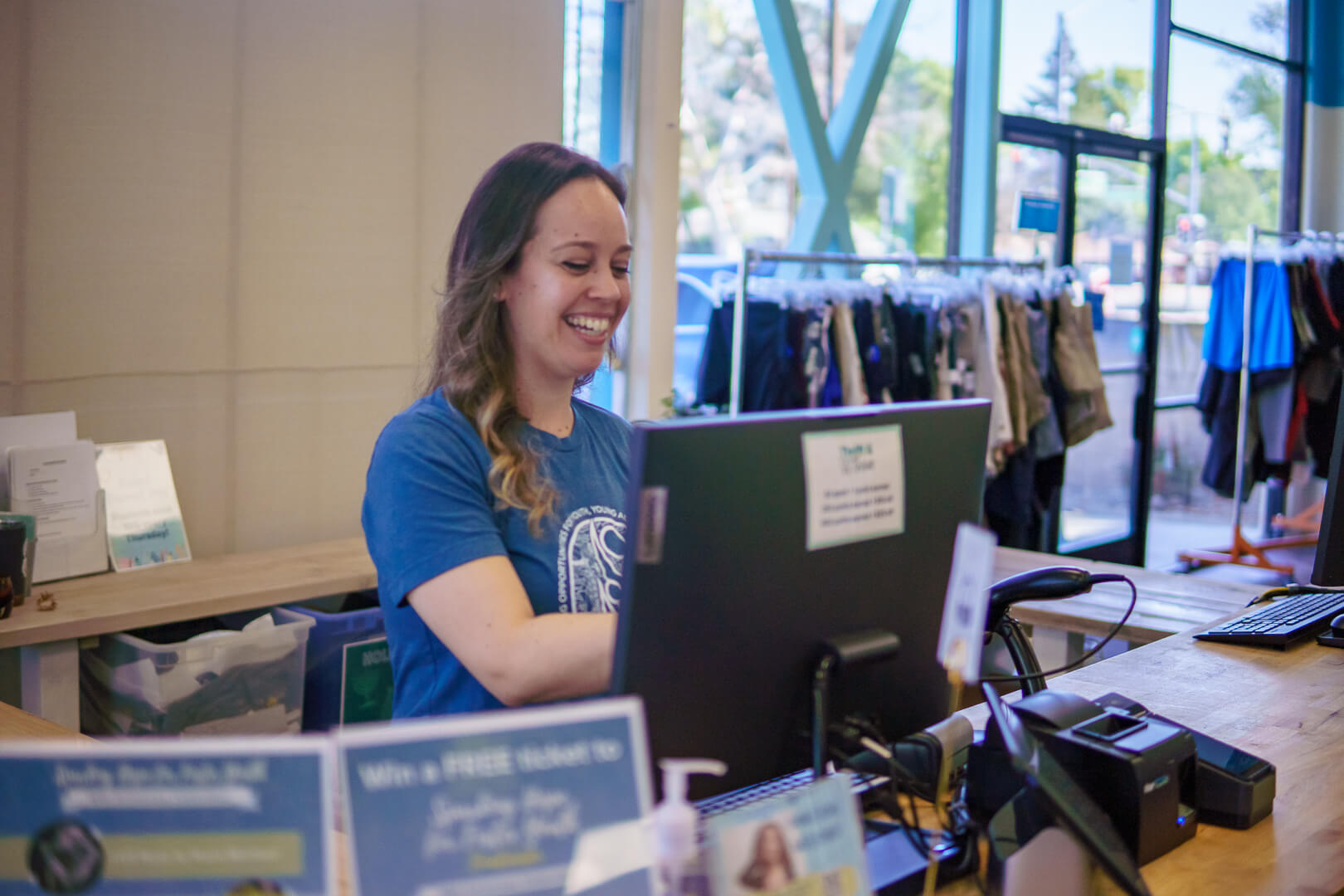
4. Volunteer-Friendly Checkout and Permissions
Test this one during the demo. Ask someone who’s never seen the system to ring up an item and process a return.
Then check what each user can access. Volunteers usually need checkout tools only, while managers need permission to change prices and view reports.
5. Roundup Donations and Tax-Exempt Sales at Checkout
These two checkout tools serve different purposes, so evaluate them separately.
Roundups: The card reader should ask shoppers to round up their purchase and record that amount apart from merchandise sales.
Tax-exempt sales: Cashiers should be able to apply an approved tax exemption without leaving the transaction or calling a manager.
6. Multi-Store Reporting and Online Sync
A single store may only need sales by department and roundup totals for its board. Grant applications and audits ask for more detail, so check that reports can split revenue by donation source. Organizations with several stores also need warehouse counts and reporting by location.
If you sell online, ask how quickly inventory updates. An item sold at the register shouldn’t stay listed on your website.
7. Customer Marketing Tools
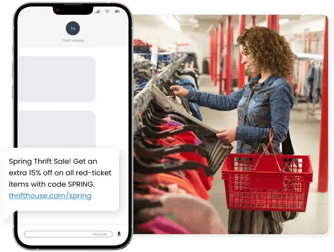
Regular thrift shoppers plan their visits around sale days. Look for marketing tools that live in the same system as their purchase history. SMS lets you text frequent shoppers the morning of a color-tag sale. Scheduled promotions can bring them back between sales.
The same tools help when donations slow down or the backroom needs volunteers. Shoppers have to opt in before you can text them, so ask at checkout.
How To Evaluate a Nonprofit Thrift Store POS
Once you’ve narrowed your list, the demo is where the differences show. Bring your own donation and checkout scenarios, and ask each provider these questions.
The monthly price is only part of the cost. Add the staff time each system needs for training and donor follow-up before you compare quotes.
Pro tip: Bring a color-tagged item from your floor to the demo and watch how the system prices it.
Related Read: Choosing a Thrift Store POS System: 7 Things To Consider
Nonprofit Thrift Store POS FAQs
Beyond your demo questions, a few more come up often when nonprofit thrift stores shop for a new POS system.
How much does a nonprofit thrift store POS cost?
ThriftCart starts at $99 per month. Donation scheduling and color-tag tools sit on higher, quote-based tiers. ThriftTrac’s online estimator starts at $150 per month. Several other providers require a quote, while Square offers a free plan without native thrift-store tools. Hardware and payment processing may cost extra.
Can a nonprofit thrift store use Square?
Yes, a nonprofit thrift store can use Square for basic checkout at a very small shop. Because Square lacks donation intake and color-tag rotation, though, most stores need workarounds as they grow. Here’s a closer look at why Square falls short for thrift stores.
Do nonprofit thrift stores charge sales tax?
Sales tax charges depend on your state. Some states exempt nonprofit thrift sales, while others tax them like any other retail purchase. Your state revenue department or a tax professional can confirm the rules for your store.
What’s the difference between thrift store POS and consignment POS software?
Thrift store POS tracks donated goods your organization owns outright. Consignment POS tracks items that still belong to consignors and calculates what each one is owed. Since nonprofit thrift stores rarely pay out consignors, those extra tools usually go unused.
Choose a Nonprofit Thrift Store POS Built Around Donations
Donated inventory never moves as neatly as a supplier shipment. Your volunteers give their time because they care about the mission. The right POS keeps backroom work feeling like a labor of love instead of a logistical nightmare.
ThriftCart was made for the way nonprofit thrift stores receive inventory. Your team can log a donation and email the receipt before the bag hits the sorting table. Volunteers pick up checkout quickly, and color-tag discounts apply on their own. When the racks are full, one text can bring shoppers through the door that afternoon.
Want a POS that works as hard as your best volunteer? Schedule a demo to see ThriftCart handle your own donation process.

With three years in the thrift industry during a pivotal shift to omnichannel selling, Kyle Payton helps stores better manage inventory and forecast product needs. As General Manager at ThriftCart, he focuses on equipping nonprofit thrift operations with point of sale technology that makes their day-to-day operations easier.
Kyle's passion lies in helping thrift store managers embrace digital solutions that support their unique mission and maximize their impact in the community.
"Supporting nonprofits is incredibly rewarding. I’m here to provide thrift store managers with the tools they need to thrive, so they can continue making a positive difference in their communities."