





Customer Birthday Discount
In this article, we will review how to set up user permission sets in ThriftCart. This will allow you to apply a permission set to a user instead of needing to individually select each desired permission per user.
1) To find the permission sets builder, first navigate to Settings and Admin > Manage Permissions.
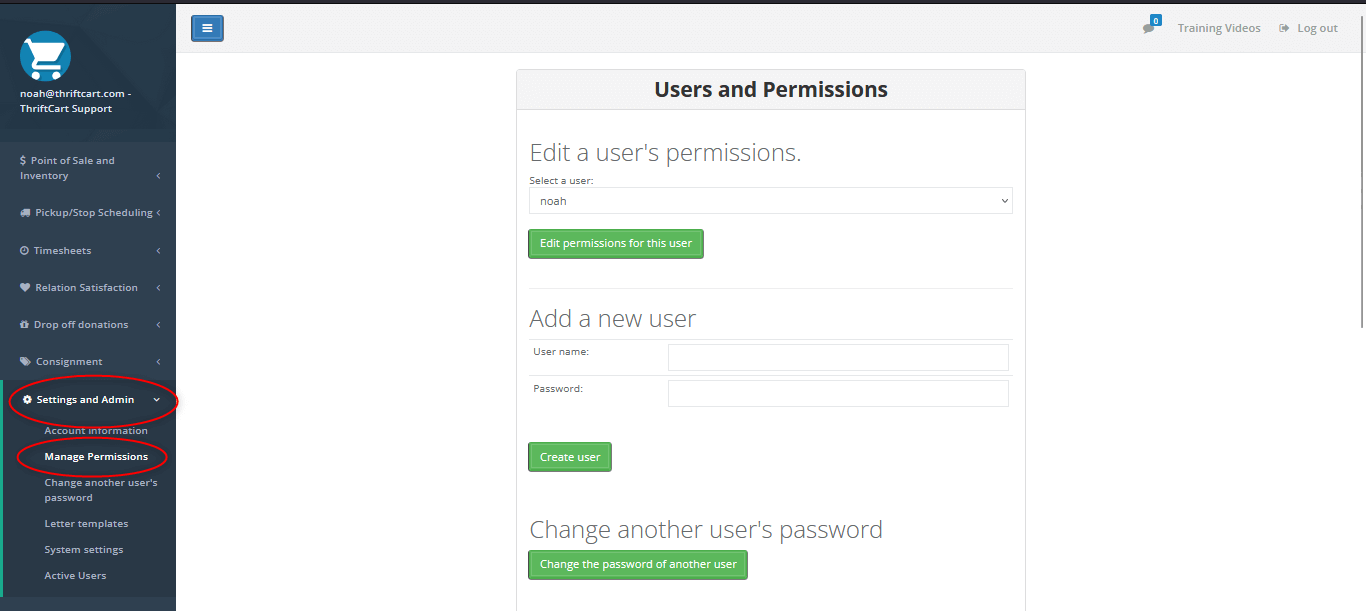
2) On this page, scroll down to the Add/edit permission set section and select Add/edit set.
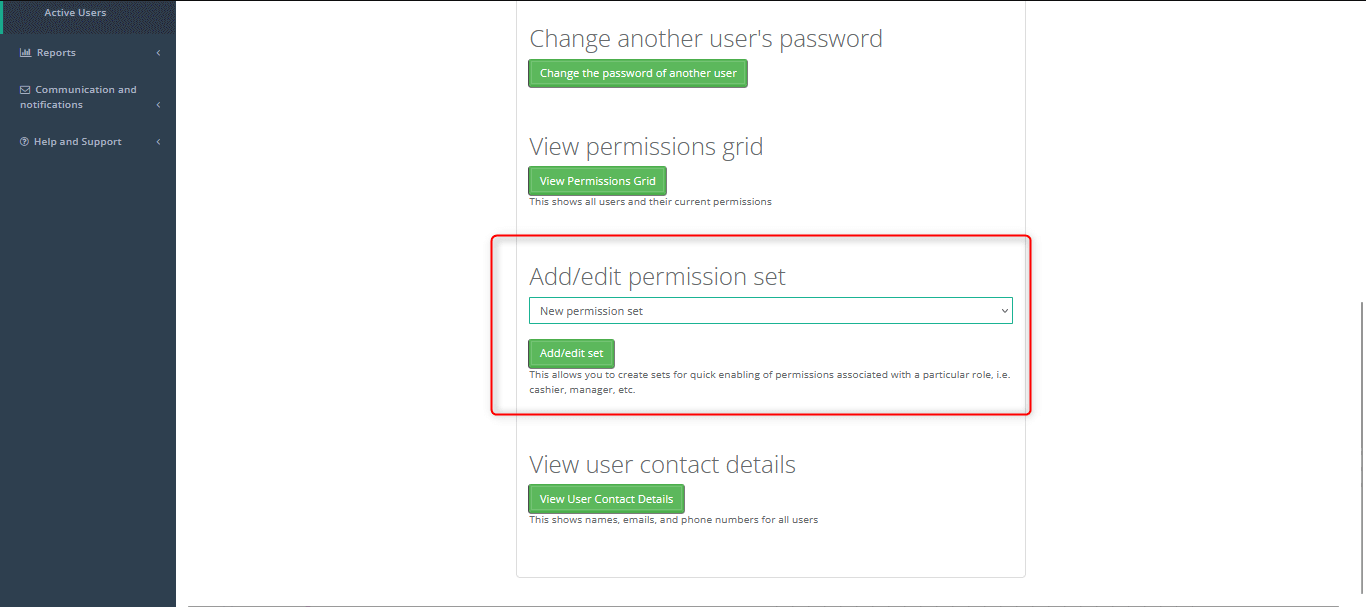
3) On this page, give a name to your permission set (i.e. “Cashier”, “Inventory”, “Truck driver”) and then check the box for each permission that you want this permission set to enable.
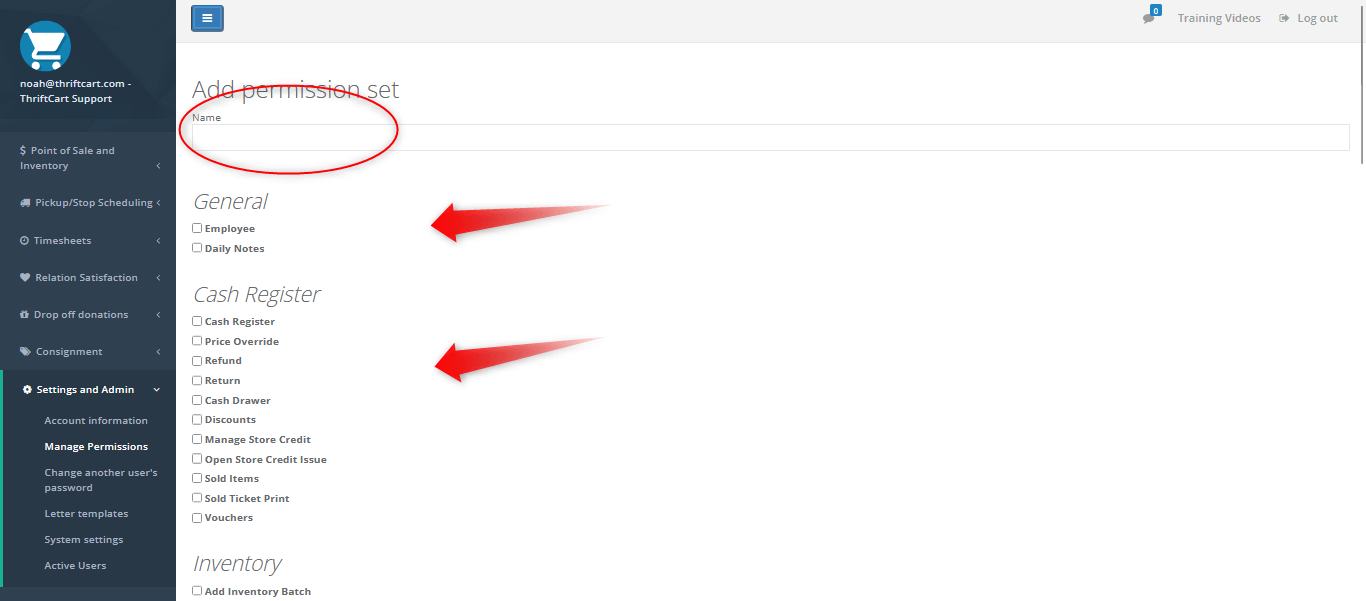
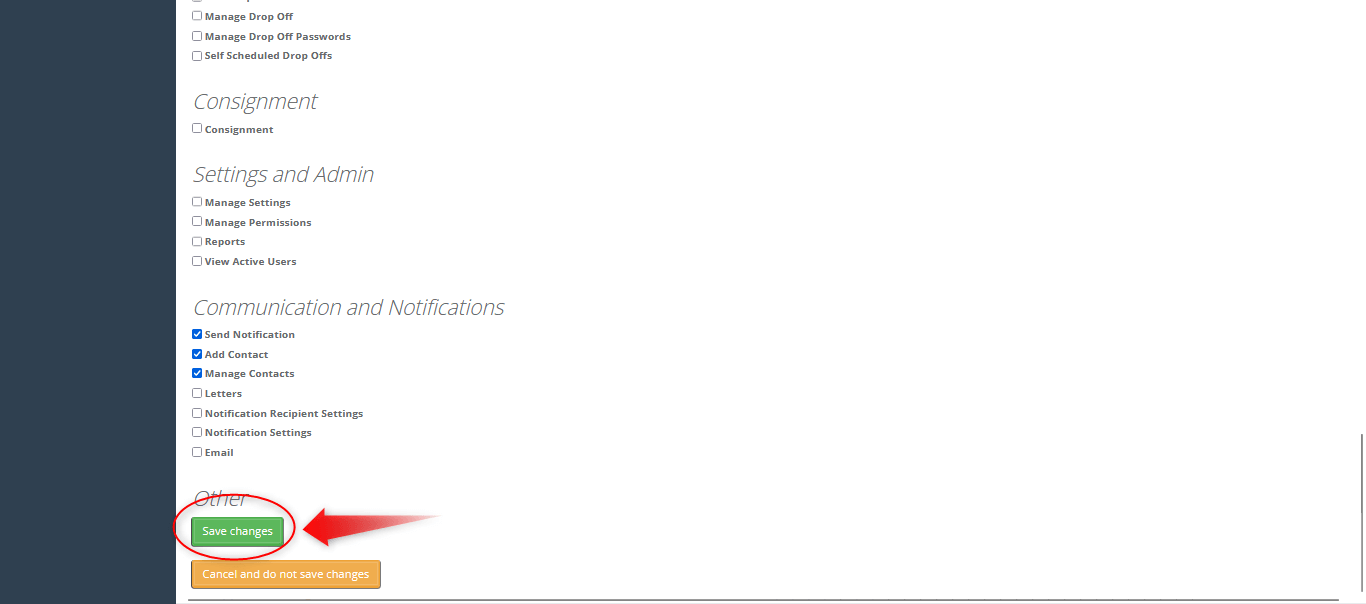
4) Once you have selected all of the permissions you would like enabled with this permission set, press the Save changes button.
Once the permission set(s) are built, follow these next steps to add them to a user’s account.
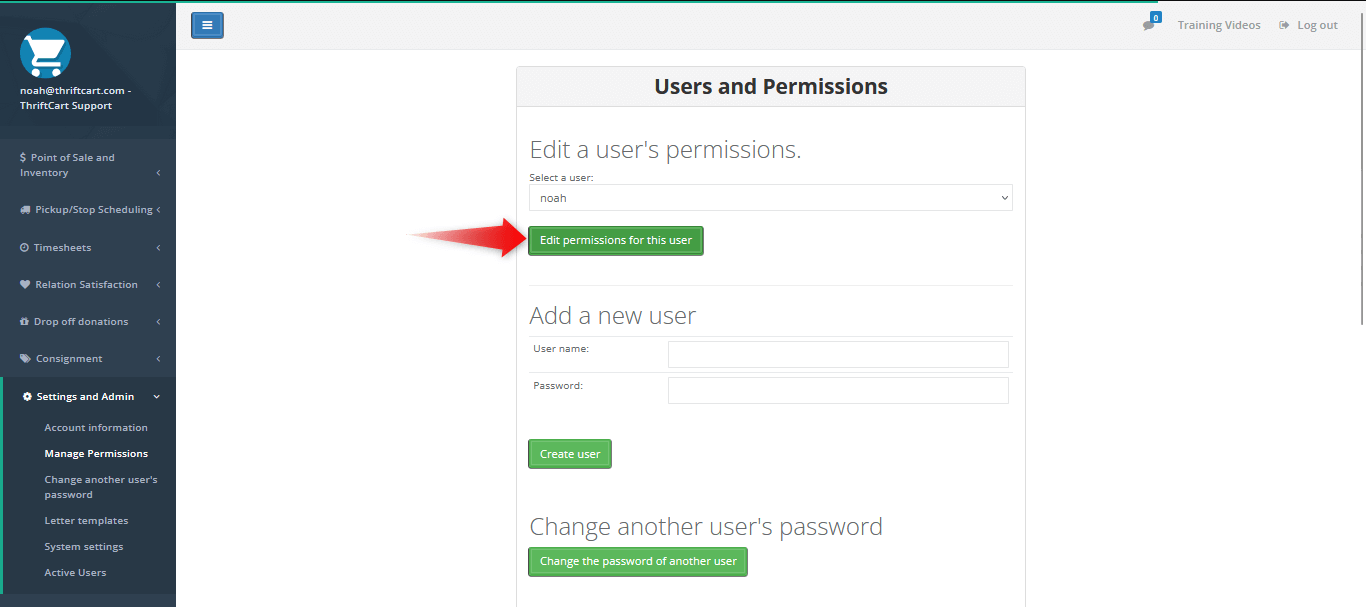
5) In the Manage Permissions page, select a user in the drop-down for Edit a user’s permissions, then click Edit permissions for this user.
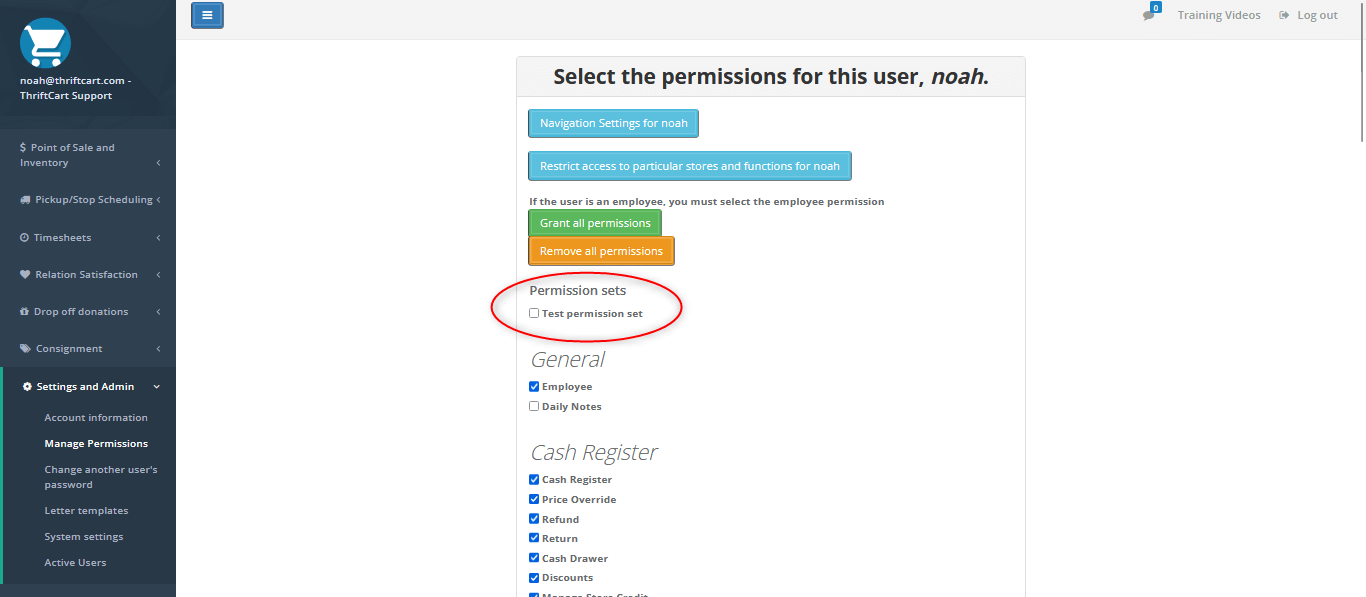
6) On this screen, you should see the option to select a permission set for this user.
Note: you can check additional permissions in the user account to grant them more permissions than those included with the permission set. After selecting a permission set, you can also uncheck individual permissions included in the set to remove them from the user account.
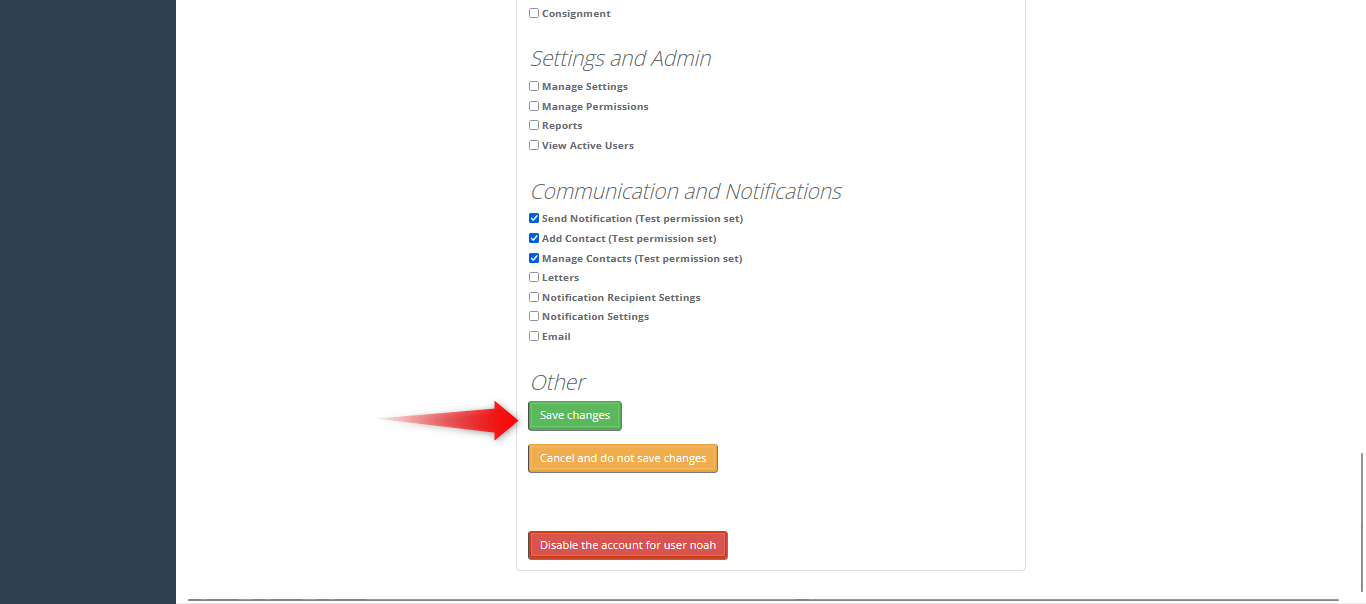
7) Once you click Save changes, this user’s permissions will be updated accordingly.

With three years in the thrift industry during a pivotal shift to omnichannel selling, Kyle Payton helps stores better manage inventory and forecast product needs. As General Manager at ThriftCart, he focuses on equipping nonprofit thrift operations with point of sale technology that makes their day-to-day operations easier.
Kyle's passion lies in helping thrift store managers embrace digital solutions that support their unique mission and maximize their impact in the community.
"Supporting nonprofits is incredibly rewarding. I’m here to provide thrift store managers with the tools they need to thrive, so they can continue making a positive difference in their communities."