
00
Days
:
000
Hours
:
000
Minutes
:
000
Seconds

Finding a thrift store POS system doesn't need to be hard. We'll help you compare the top providers in the industry so you can make the best choice for your thrift shop.
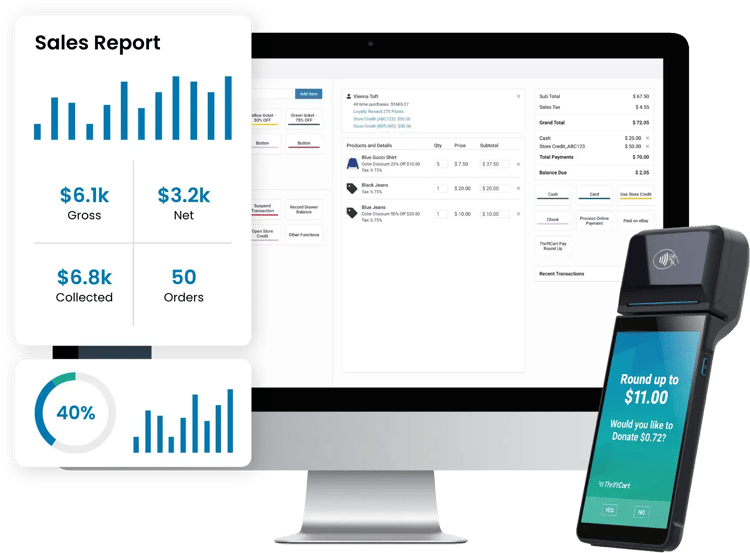
Donation intake, pickup scheduling, color-tag markdowns, donor tax receipts — general-purpose systems either don't have them or treat them as add-ons. These comparisons show exactly where ThriftCart stands compared to the most common alternatives. Pick the system you're currently on, or the one you're evaluating.

Strong retail POS with marketplace selling, but no donation intake or pickup scheduling. See where that leaves a thrift store.

General retail POS with deep QuickBooks and Sage integration, but no donation intake or pickup scheduling. Here's how that tradeoff looks for a thrift operation.
.webp?width=95&height=65&name=Stags%20Logo%20(1).webp)
Production-first thrift POS built around tagging speed. Proprietary hardware only, pricing by quote. Here's how it compares to a system with no hardware lock-in.

Thrift-specific POS for nonprofit resale with color rotation and volunteer tools. Requires proprietary hardware. Here's how the two compare.

Metrics-first thrift platform with KPI dashboards and modular pricing. No inventory management by design. Here's how that compares to an all-in-one.

Three products bundled under one name: DGR 5.0, Upright Labs, and pearldive AI. Here's how they compare to one system built for thrift stores of every size.

General retail POS with a free plan and well-designed hardware. No donation intake, no pickup scheduling, no donor receipts — here's what that costs in manual work.

A well-known general retail POS with hardware bundles. No donation tracking, no color-tag cycles, no nonprofit reporting. Here's the full breakdown.

An enterprise POS solution serving big-name national retailers. Big capabilities. Even bigger prices. Here's the breakdown for independent thrift stores.

